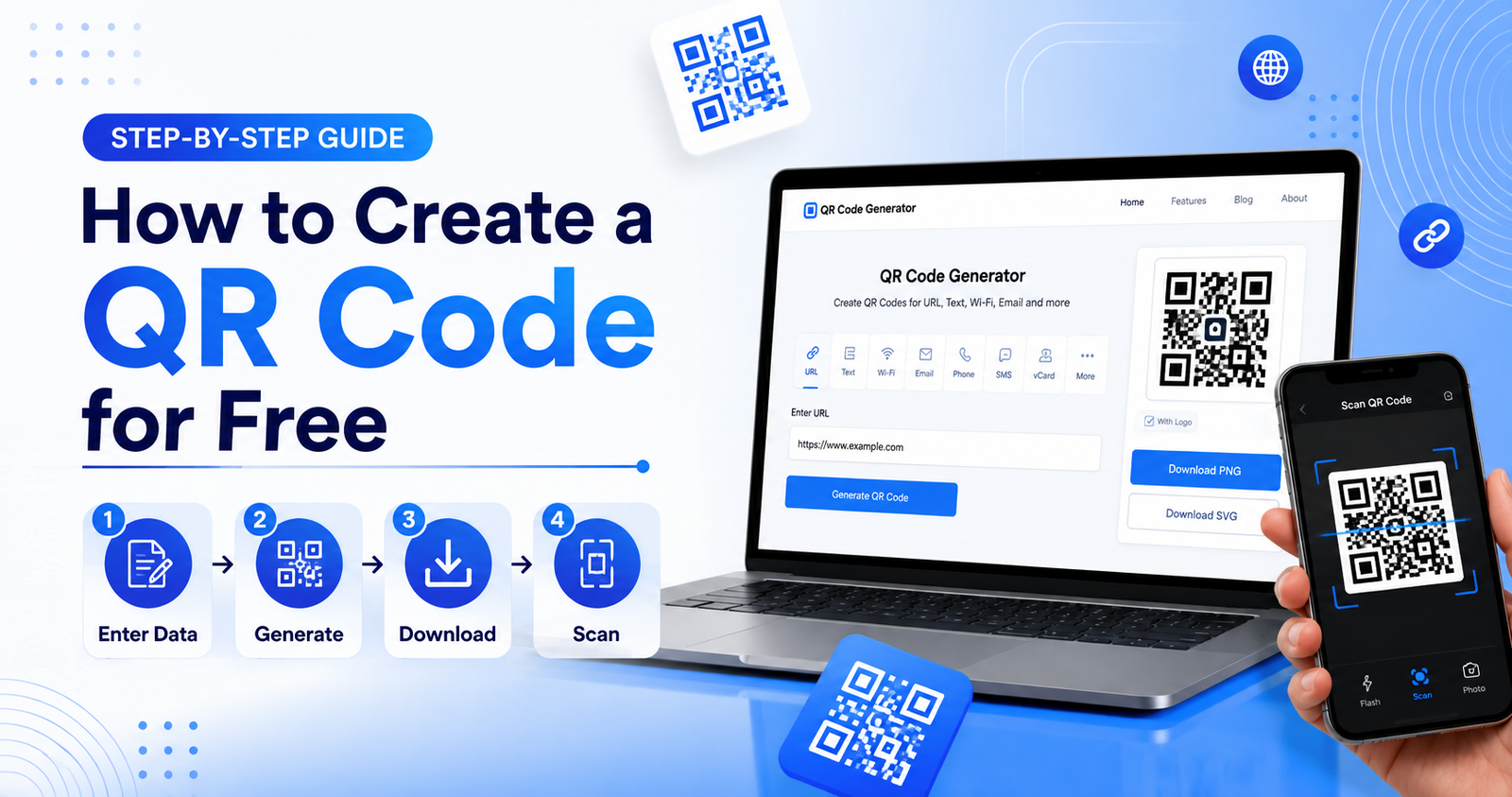
Learn how to create a QR code for free in just a few minutes. Follow our step-by-step guide to generate QR codes for websites, Wi-Fi, contact details, social media, and more.
Introduction
QR codes have become one of the easiest ways to share information quickly and efficiently. From business cards and restaurant menus to websites, payment links, and social media profiles, QR codes make it simple for users to access digital content with a single scan.
The best part is that you don't need any technical skills or expensive software to create one. With a reliable online QR code generator, you can generate a professional-looking QR code in just a few minutes.
In this guide, you'll learn what a QR code is, the different types available, how to create one for free, and the best practices to ensure it works perfectly on both digital and printed materials.
What Is a QR Code?
A QR (Quick Response) code is a two-dimensional barcode that stores digital information in a pattern of black and white squares. Unlike traditional barcodes, QR codes can store much more information, including website URLs, phone numbers, email addresses, Wi-Fi credentials, contact details, payment information, and more.
Modern smartphones can scan QR codes directly through the camera app, making them a fast and convenient way to connect users with digital content.
Why Should You Create a QR Code?
QR codes have become an essential tool for businesses, students, marketers, and individuals because they simplify the process of sharing information. Instead of asking someone to type a long website address or phone number, they can simply scan a QR code.
Benefits of QR Codes
- Quick and easy access to information
- Saves time for users
- Contactless sharing of data
- Professional appearance
- Ideal for print and digital marketing
- Works on most smartphones
- Cost-effective solution for businesses
Whether you're promoting a website, sharing a digital business card, or connecting customers to your online store, QR codes provide a seamless user experience.
Types of QR Codes You Can Create
Most QR code generators allow you to create several different types of QR codes, depending on your needs.
Website QR Code
Direct users to any webpage by entering the website URL.
Wi-Fi QR Code
Allow visitors to connect to your Wi-Fi network without typing the password.
Contact (vCard) QR Code
Share your contact information instantly, including your name, phone number, email address, and company details.
Email QR Code
Open the user's email application with your email address already filled in.
Phone Number QR Code
Enable users to call your business with a single tap.
SMS QR Code
Create a pre-written text message that users can send instantly.
Google Maps QR Code
Help customers find your business location by linking directly to Google Maps.
Social Media QR Code
Share links to platforms such as Facebook, Instagram, LinkedIn, or YouTube.
PDF QR Code
Provide instant access to brochures, menus, reports, or other downloadable documents.
What Information Do You Need Before Creating a QR Code?
Before generating your QR code, make sure you have the correct information ready.
For example:
- Website URL
- Phone number
- Email address
- Wi-Fi network name (SSID)
- Wi-Fi password
- Google Maps location
- Social media profile link
- PDF document link
- Business contact details
Having accurate information ensures that your QR code works correctly and provides the best experience for users.
Step-by-Step Guide to Creating a QR Code
Creating a QR code is simple and usually takes less than a minute.
Step 1: Open the QR Code Generator
Visit your preferred QR code generator and select the type of QR code you want to create.
Step 2: Select the QR Code Type
Choose whether you want to generate a QR code for a website, Wi-Fi network, contact information, phone number, email, or another type of content.
Step 3: Enter Your Information
Fill in the required details carefully. Double-check the information before generating the QR code to avoid errors.
Step 4: Generate the QR Code
Click the Generate QR Code button. The tool will instantly create your QR code.
Step 5: Download the QR Code
Download the QR code in a high-quality format such as PNG or SVG, depending on your needs.
Step 6: Test the QR Code
Before sharing or printing, scan the QR code with multiple devices to ensure it works correctly.
Step 7: Share or Print
Use your QR code on websites, flyers, posters, business cards, packaging, restaurant menus, email signatures, and marketing materials.
Tips for Designing an Effective QR Code
A well-designed QR code improves both functionality and user experience.
- Use high-contrast colors.
- Keep the QR code large enough to scan easily.
- Leave a white margin (quiet zone) around the code.
- Test it on multiple smartphones.
- Use a mobile-friendly landing page.
- Download a high-resolution image for printing.
- Avoid stretching or distorting the QR code.
Common Mistakes to Avoid
Many users create QR codes without considering how they will be used.
Avoid these common mistakes:
- Using incorrect URLs
- Making the QR code too small
- Printing low-quality images
- Linking to broken webpages
- Using poor color contrast
- Skipping the testing process
- Overcrowding marketing materials
By avoiding these issues, you'll improve scan success rates and provide a better experience for users.
Frequently Asked Questions
Can I create a QR code for free?
Yes. Many online QR code generators allow you to create basic QR codes without any cost.
Do free QR codes expire?
Most static QR codes do not expire. However, some services may place limits on dynamic QR codes.
Can I edit my QR code later?
Static QR codes cannot be changed after they are created. Dynamic QR codes allow you to update the destination content without changing the printed code.
What file format should I download?
PNG is suitable for digital use, while SVG is recommended for professional printing because it scales without losing quality.
Are QR codes safe?
Yes, as long as they link to trusted websites and are created using reliable QR code generators.
Conclusion
Creating a QR code for free is quick, simple, and useful for both personal and business purposes. Whether you want to share a website, connect users to Wi-Fi, promote your social media profiles, or provide contact information, QR codes offer a convenient and professional solution.
By following the steps and best practices in this guide, you can generate QR codes that are easy to scan, visually appealing, and effective across both digital and printed materials. Start creating your QR code today and make sharing information faster than ever.