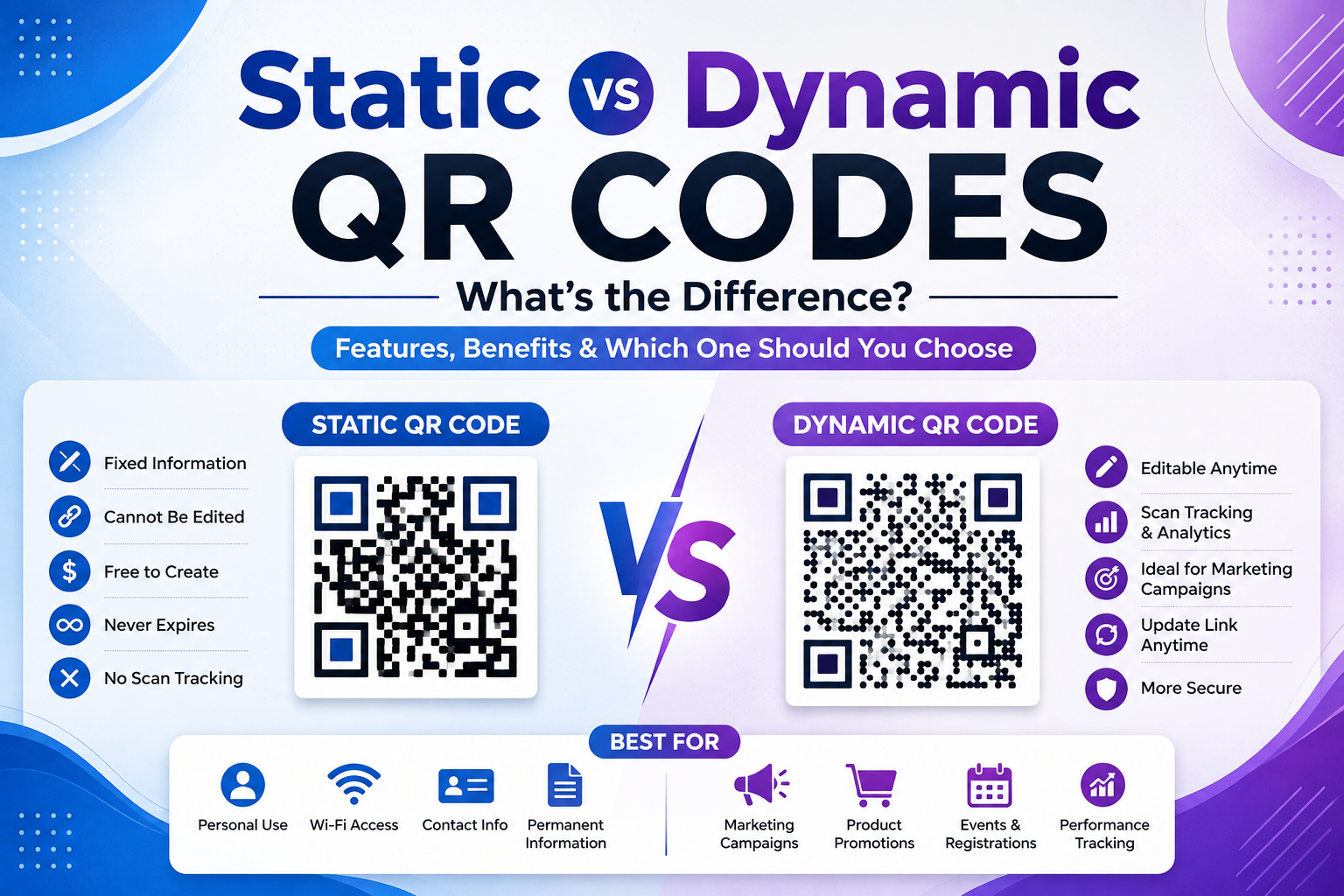
Learn the key differences between static and dynamic QR codes. Discover their features, advantages, disadvantages, and which type is best for your business or personal use.
Introduction
QR codes have become an essential part of modern communication, making it easier than ever to share websites, contact information, payment links, Wi-Fi credentials, and more with a simple scan. However, not all QR codes work the same way. Before creating one, it's important to understand the difference between static QR codes and dynamic QR codes.
Choosing the right type of QR code can save you time, improve your marketing campaigns, and provide a better experience for your audience. In this guide, we'll explain how both types work, compare their features, and help you decide which one best suits your needs.
What Is a QR Code?
A QR (Quick Response) code is a two-dimensional barcode that stores digital information such as website URLs, contact details, Wi-Fi passwords, payment links, emails, and more. Users simply scan the code with a smartphone camera to instantly access the stored content.
QR codes are widely used in marketing, education, retail, healthcare, hospitality, and personal networking because they provide a quick and convenient way to share information.
What Is a Static QR Code?
A static QR code permanently stores the information directly within the QR code itself. Once it has been generated, the content cannot be changed or updated.
For example, if you create a static QR code that links to a website and later change your website URL, the QR code will continue to point to the original link.
Advantages of Static QR Codes
- Completely free to create
- Never expire
- Simple and reliable
- No account required on most generators
- Perfect for permanent information
Limitations of Static QR Codes
- Cannot be edited after creation
- No scan analytics
- No tracking of user activity
- Requires creating a new QR code if information changes
What Is a Dynamic QR Code?
A dynamic QR code stores a short redirect URL instead of embedding the final information directly. This means you can update the destination without changing the printed QR code.
For example, if you print a QR code on thousands of brochures and later decide to change the landing page, you only need to update the destination inside your QR code management dashboard.
Advantages of Dynamic QR Codes
- Editable after creation
- Track scan statistics
- View scan locations and devices
- Ideal for marketing campaigns
- Supports A/B testing
- Saves reprinting costs
Limitations of Dynamic QR Codes
- Often requires a subscription or premium service
- May depend on the QR code provider's platform
- Some free plans include scan limits
Static vs Dynamic QR Codes: Key Differences
FeatureStatic QR CodeDynamic QR CodeEditable❌ No✅ YesScan Tracking❌ No✅ YesAnalytics❌ No✅ YesBest for Permanent Information✅ Yes✅ YesBest for Marketing Campaigns❌ No✅ YesCostUsually FreeOften PaidExpirationUsually NeverDepends on Provider
When Should You Use a Static QR Code?
Static QR codes are ideal when the information is unlikely to change.
Examples include:
- Personal websites
- Business contact details
- Home Wi-Fi passwords
- Product manuals
- Event invitations
- Educational resources
Since the content remains fixed, static QR codes are a simple and cost-effective choice for long-term use.
When Should You Use a Dynamic QR Code?
Dynamic QR codes are the better option when flexibility and analytics are important.
They are commonly used for:
- Marketing campaigns
- Restaurant menus
- Promotional offers
- Product packaging
- Event registrations
- Digital advertisements
- Business promotions
With dynamic QR codes, you can monitor performance, update links, and optimize campaigns without reprinting materials.
Which QR Code Is Better for Businesses?
For most businesses, dynamic QR codes offer greater flexibility and valuable insights through scan analytics. They allow you to update campaigns, monitor customer engagement, and reduce printing costs.
However, if your business only needs to share permanent information such as office contact details or a fixed website URL, a static QR code may be all you need.
The right choice depends on your goals, budget, and whether you expect the linked content to change over time.
Best Practices for Choosing a QR Code
To get the best results:
- Choose a static QR code for permanent information.
- Use a dynamic QR code for marketing campaigns.
- Test every QR code before publishing.
- Ensure the destination page is mobile-friendly.
- Print QR codes in high resolution.
- Leave enough white space around the code for easy scanning.
Frequently Asked Questions
Which QR code is free?
Static QR codes are generally free to create using most online QR code generators.
Can I change a static QR code after creating it?
No. Once a static QR code is generated, its content cannot be modified.
Why do businesses prefer dynamic QR codes?
Dynamic QR codes allow businesses to update links, track scan data, and measure campaign performance without changing the printed QR code.
Do dynamic QR codes expire?
Some providers offer lifetime dynamic QR codes, while others require an active subscription. Always check the provider's terms before creating one.
Which type is better for beginners?
If you're creating a QR code for personal use or permanent information, a static QR code is usually the easiest and most affordable choice.
Conclusion
Both static and dynamic QR codes have their own strengths. Static QR codes are simple, free, and ideal for permanent information, while dynamic QR codes provide flexibility, editability, and analytics for businesses and marketing campaigns.
Before generating a QR code, consider whether your content may change in the future and whether tracking scan performance is important. Choosing the right type will help you create a better experience for your users and achieve your goals more effectively.